Best Printer for Small Office: What to Buy
Monday morning is a poor time to discover your printer is slow, out of toner, or refusing to scan. For most teams, the best printer for small office use is not the one with the longest feature list. It is the one that keeps up with daily work, stays affordable to run, and does not create avoidable downtime when you need invoices, labels, contracts or reports in a hurry.
That is why choosing well at the start matters. A small office printer needs to fit the way your business actually works, not the way manufacturers describe an ideal customer on the box. Print volume, running costs, scanning needs, paper handling and support all matter more than glossy marketing claims.
How to choose the best printer for small office use
The first question is not brand. It is workload. A two-person office printing a few letters and returns labels each day has very different needs from a ten-desk team producing order sheets, forms and customer packs all week.
If your office prints regularly, a mono laser printer often gives the best value. Text is sharp, toner lasts well, and print speeds are usually better than entry-level inkjet models. For businesses handling mostly black and white paperwork, this is often the simplest and most cost-effective route.
If you need colour for presentations, marketing proofs or customer-facing documents, a colour laser printer is usually the stronger office choice than a cheap inkjet. The upfront cost is higher, but it tends to be more reliable in busy environments and less prone to the stop-start problems that come with infrequent use. Inkjet can still suit a small office, but usually where photo quality matters or print volumes stay fairly modest.
The next point is whether you need a single-function printer or a multifunction device. In most small offices, print-only machines make less sense than they used to. Scanning and copying are routine tasks, and a built-in document feeder can save a surprising amount of time. If staff regularly scan invoices, sign paperwork or copy customer records, an all-in-one is usually worth it.
Best printer for small office buyers: the features that matter
Speed matters, but only to a point. Manufacturers quote pages per minute, and that figure is useful, but it should not be your only guide. If your office prints little and often, consistent first-page speed can be more important than high headline speeds on long runs.
Paper capacity is another practical detail that gets overlooked. A small paper tray is manageable in a home setting, but in an office it becomes a nuisance quickly. If people are constantly refilling paper, productivity drops and frustration rises. For shared use, a larger tray or optional second tray can make daily life much easier.
Then there is duplex printing. Automatic double-sided printing is not just a nice extra. It cuts paper use, keeps documents neater and reduces manual handling. For many small businesses, that saves both time and cost over the life of the machine.
Connectivity also needs a bit of thought. Wireless printing is useful, but offices should not rely on it alone if several users share one device. Ethernet is often the steadier option for a networked printer, especially where reliability matters more than convenience. Mobile printing can be handy, but it should sit behind core office requirements, not replace them.
Scan quality is often less about resolution than workflow. If your team scans multi-page documents, supplier invoices or signed forms, look for an automatic document feeder and sensible scan software. A machine with awkward scanning menus can waste more time than a slightly slower printer ever will.
Running costs matter more than the purchase price
Many small offices buy on headline price, then spend the next two years making up the difference on cartridges. That is rarely good value. The cheapest printer on the shelf is often the most expensive one to own.
A better way to compare machines is to look at cartridge yield, toner cost, expected monthly usage and how often consumables need replacing. High-yield toner or ink options can make a noticeable difference if you print regularly. So can choosing a model with widely available supplies rather than a niche machine with expensive replacements.
This is also where businesses need to be realistic about original, compatible and refilled cartridge options. Original cartridges can offer consistency and manufacturer backing, but compatible and refilled ranges can reduce spend significantly when sourced properly. The right choice depends on the printer model, the quality you need, and how sensitive your workflow is to any variation. For routine office documents, many businesses find there is room to save without compromising day-to-day output.
Energy use is worth considering too, particularly for offices that leave equipment switched on for long periods. Sleep modes and efficient warm-up times help, but they should come after the bigger cost decisions around consumables and maintenance.
Laser or inkjet for a small office?
For most offices, laser wins on reliability, speed and cost control. If you print contracts, statements, packing slips, staff documents or general admin paperwork, a laser machine is usually easier to live with. Toner-based devices are less likely to suffer from dried-out consumables if use is uneven, and they cope better with shared office demand.
Inkjet still has its place. If your business prints colour-heavy materials, image-led content or occasional high-quality visuals, an inkjet may produce better-looking output for that specific job. But it works best when print habits match the machine. Long idle periods followed by urgent jobs can be frustrating on some inkjet models.
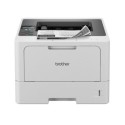
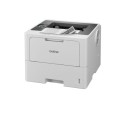
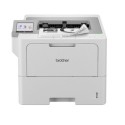
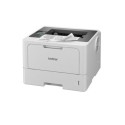
So if you are asking for the best printer for small office needs, the answer is often a laser multifunction printer, either mono or colour depending on how much colour you genuinely need. Not every office needs a colour device, and paying for colour capability you rarely use can increase running costs with little benefit.
Common buying mistakes to avoid
One of the biggest mistakes is buying for rare tasks rather than regular ones. If you print one glossy brochure mock-up a month but hundreds of black and white documents, choose the machine that handles the hundreds well. Outsourcing occasional specialist print work can be cheaper than forcing one office printer to do everything badly.
Another mistake is underestimating growth. A printer that suits a one-person operation may become a bottleneck once two or three staff rely on it. If your team is expanding, or if more work is moving in-house, it can be sensible to buy slightly ahead of current demand.
Support is often ignored until something goes wrong. When a printer fails, most offices do not care about marketing awards or design. They want the problem fixed quickly, the right cartridge identified, and as little interruption as possible. That is where local specialist support can make more difference than a small saving at checkout.
There is also the question of repair versus replacement. Some lower-cost printers are almost disposable, which looks fine until a fault develops just outside warranty. A better-built office machine may cost more initially but prove easier and more sensible to maintain over time.
Matching the printer to the office
A solicitor's office, a letting agency, a school admin team and a trades business all count as small offices, but their print habits are not the same. A legal practice may need dependable duplex printing and fast scanning of multi-page documents. A retail back office may care more about labels, invoices and straightforward toner replacement. A design-led business may still need office reliability, but with stronger colour output.
That is why there is no single best printer for small office users in every case. There is only the best fit for your daily workload, staff numbers and budget. The right machine should feel boring in the best possible way. It should simply work, day after day, without demanding too much attention.
For many UK businesses, that means focusing on three things: reliable laser performance, sensible consumable costs, and easy access to supplies or support when needed. If you can get those right, the rest becomes much simpler.
When customers ask us what to buy, the conversation usually starts with how often they print, whether colour is truly necessary, and how much downtime they can tolerate. That tends to lead to better decisions than starting with a price tag alone.
If you are replacing an ageing printer, do not just look at what it failed to do. Look at what your office needs next. A slightly better machine with the right cartridges behind it can save money, reduce interruptions and make everyday admin far less of a chore.